From Bob’s original Learning Nuggets archive. Instructions and screenshots refer to Trial Director 360.
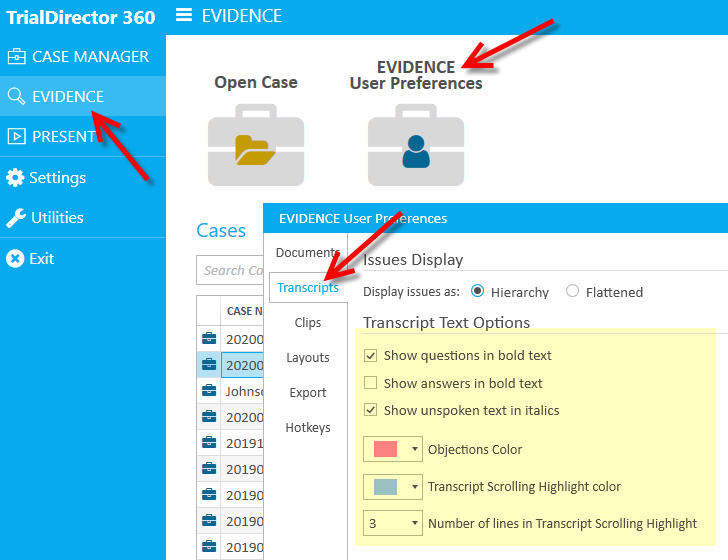
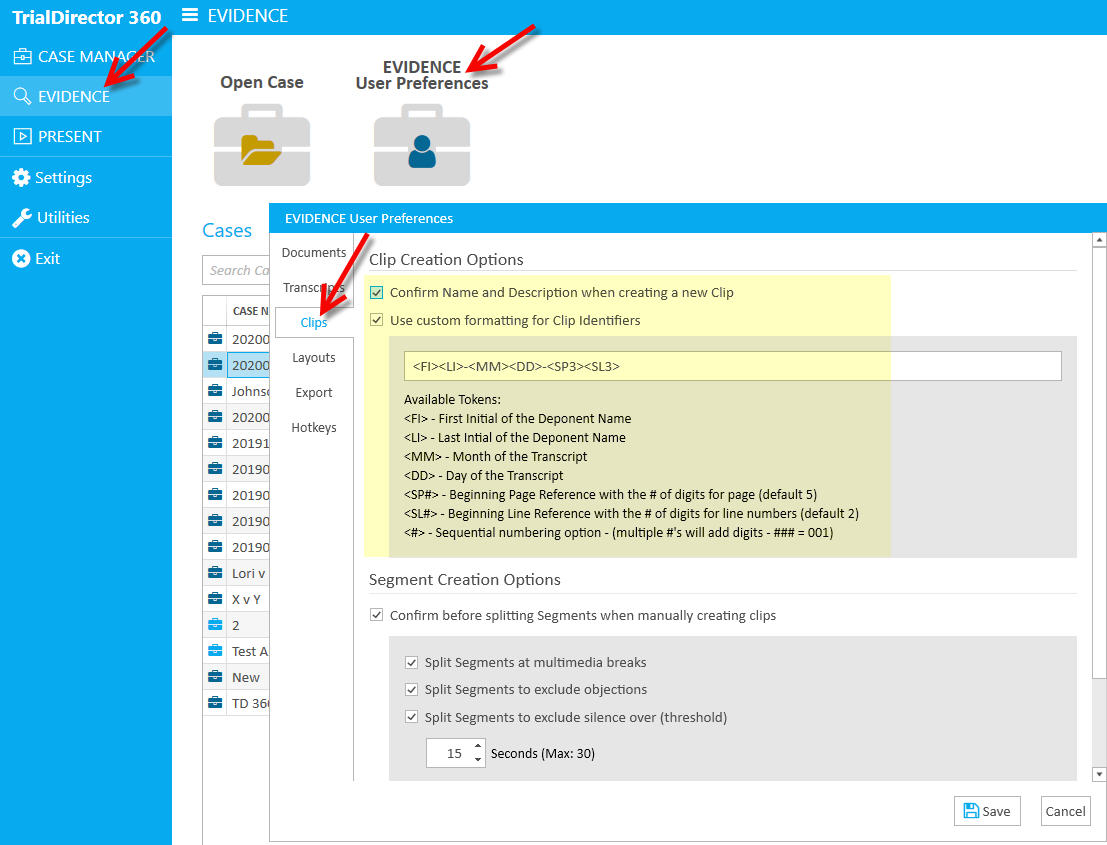
Trial Director 360 has super handy preference menus in the Evidence-Cases page. There are two sets of preferences that are really handy to remember:
1) Transcripts: changes here reflect how transcript testimony appears, which should make reading testimony easier on the eyes.
2) Clips: By default, Trial Director names clips with a long name. Given the codes, enter what you'd like, in order to change how sync'd video transcript clips are named moving forward. No more renaming every time you create a clip!
Instructional screenshots