From Bob’s original Learning Nuggets archive. Instructions and screenshots refer to Trial Director 6.8.
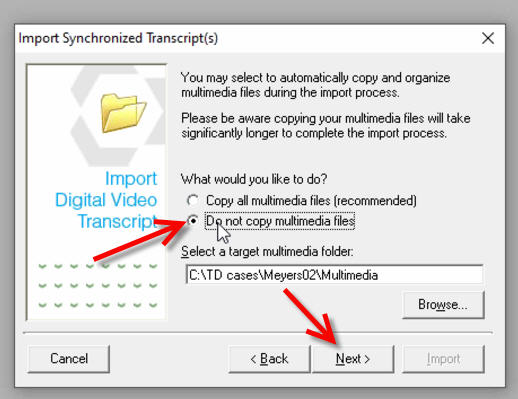
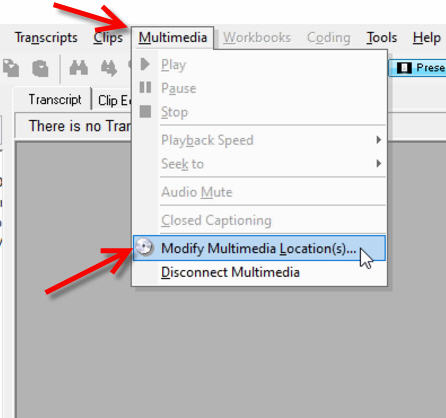
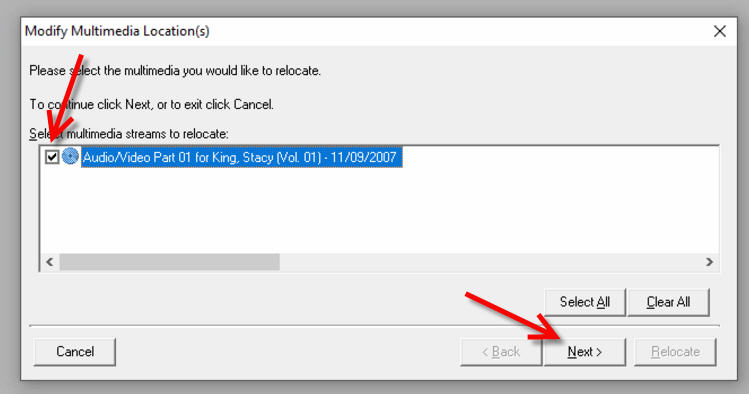
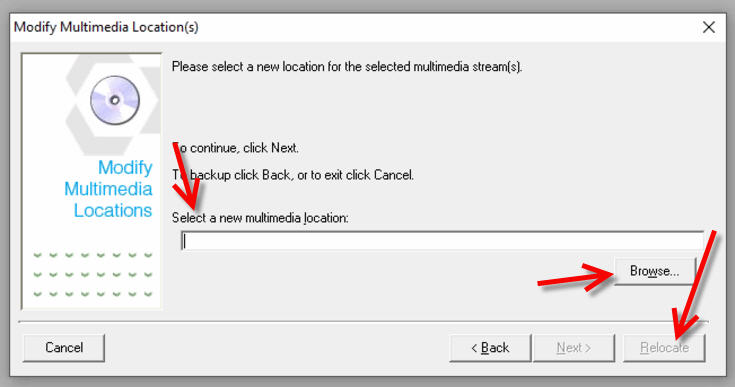
When loading a CMS file (for sync'd transcript video), consider declining to allow the program to copy the video file(s). Opt instead to load the CMS without copying the video files, following the wizard prompts. Once done, link the video file(s) to the transcript using the Modify Multimedia Location. This allows you to copy your video files to your trial laptop anywhere you want them saved, and then link them. It also saves from getting errors you might receive that Trial Director can't 'find' the video to display. Thus a timesaver!
Instructional screenshots