Learning Nugget 2

Quick Text Exhibit Creator

Trial Director 6.8 · Exhibits & reports

Back to the learning library

From Bob’s original Learning Nuggets archive. Instructions and screenshots refer to Trial Director 6.8.
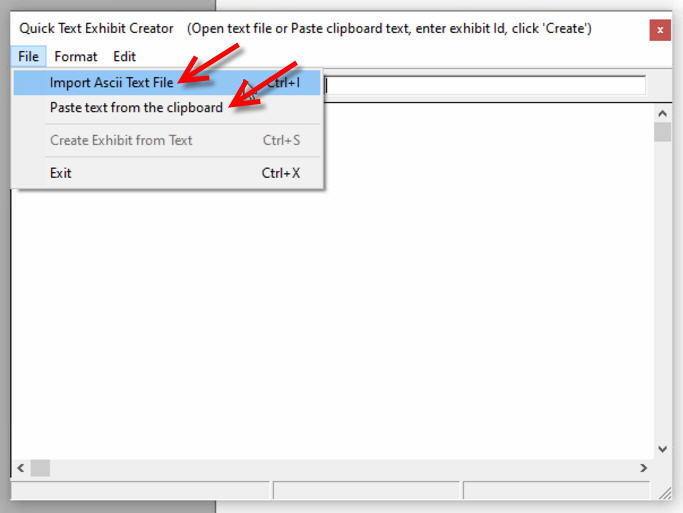
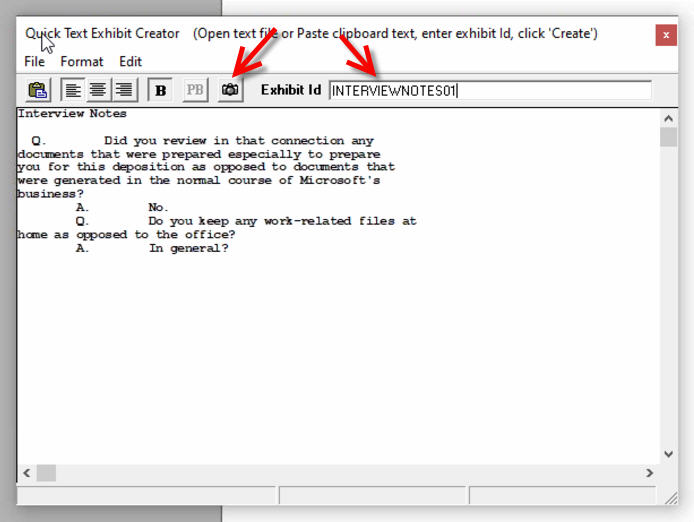
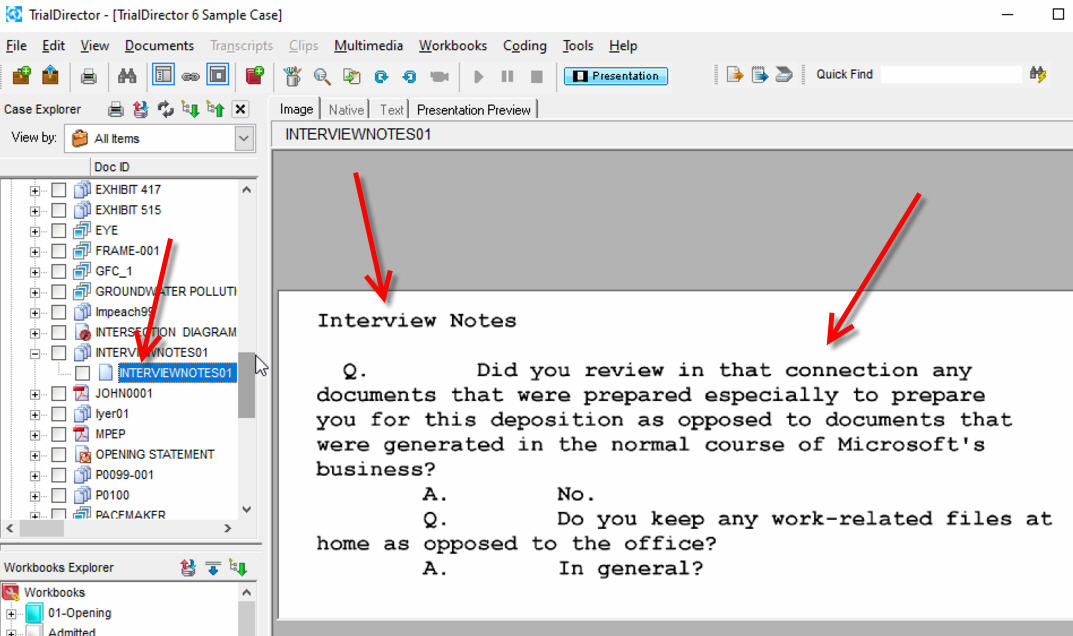
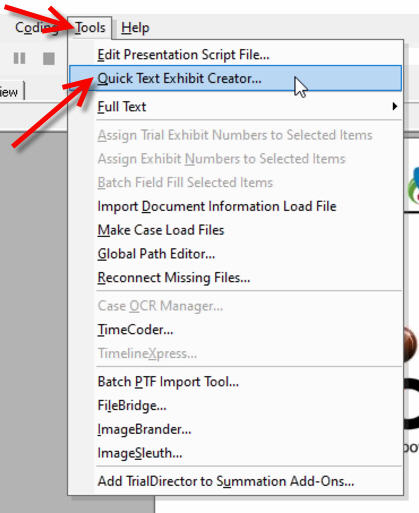
There's a special tool built into this version of Trial Director that can be really useful when you need it. It's called Quick Text Exhibit Creator. The tool allows you to type text into the box, or copy/paste text, or browse to a text file. Once you enter an Exhibit ID, it will convert that text into an image by clicking on the little camera button.

Instructional screenshots
TD 6 QuickText Exhibit Creator 1
TD 6 QuickText Exhibit Creator 1 · Open image for full size
TD 6 QuickText Exhibit Creator 2
TD 6 QuickText Exhibit Creator 2 · Open image for full size
TD 6 QuickText Exhibit Creator 3
TD 6 QuickText Exhibit Creator 3 · Open image for full size
TD 6 QuickText Exhibit Creator 4
TD 6 QuickText Exhibit Creator 4 · Open image for full size