From Bob’s original Learning Nuggets archive. Instructions and screenshots refer to Trial Director 6.8.
There are many reasons to love workbooks in this version of Trial Director. There's a duality to a Standard workbook: 1) to use the contents of a workbook in presentation, and 2) to use the contents of a workbook to create work product (like an Exhibit Outline).
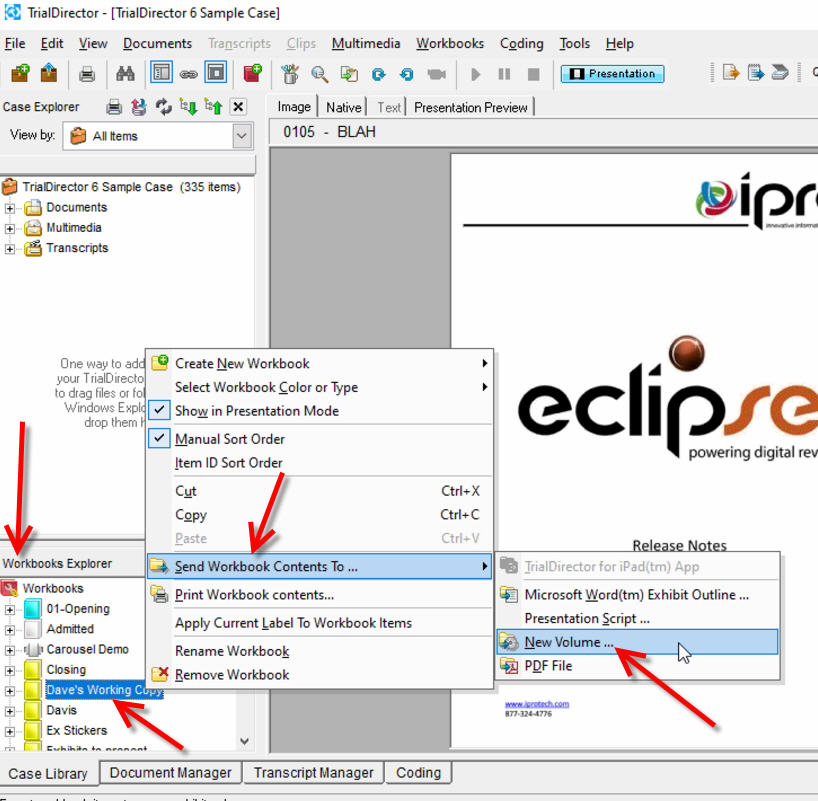
But there's one feature that's been very helpful when needed. When you've created clips of video and audio and need to provide just the clips to another party, like an expert, right-click on the workbook - there's a feature to Send Workbook contents to...New Volume.
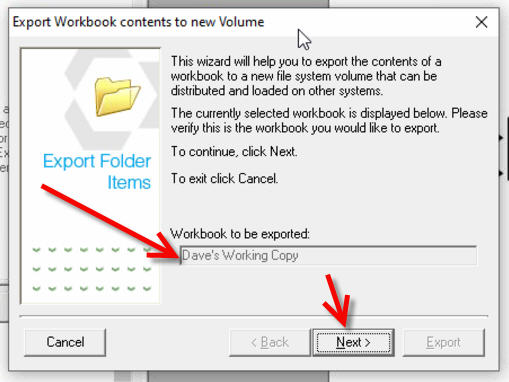
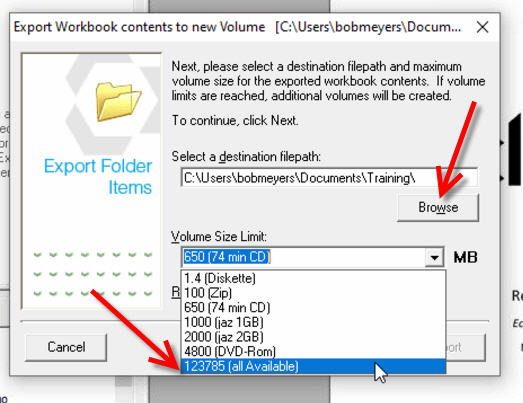
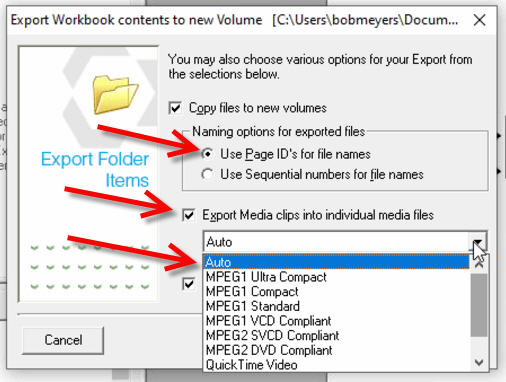
It doesn't sound all that useful, but this feature presents you a wizard to walk you through steps to export video/audio clips you've created to save to a folder on your system, to then provide to others.
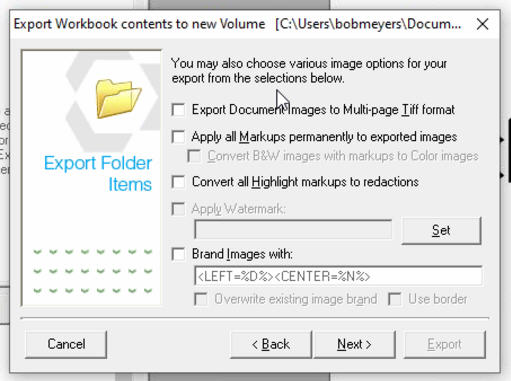
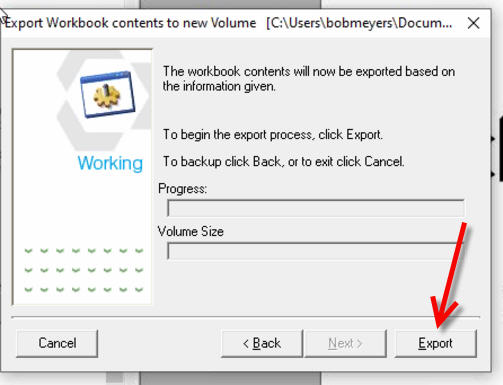
I've included 6 screen shots of the complete process - screen 5 can be ignored for this specific purpose. Screen 5 options are good for creating a digital copy of documents, as opposed to working with video/audio.
Word of caution: This feature only exports audio and video clips contained in a folder. DVT or sync'd video clips are only exported in the Transcript Manager.
Instructional screenshots