From Bob’s original Learning Nuggets archive. Instructions and screenshots refer to Trial Director 6.8.
While you can search the properties of documents in a case, you don't by default have the ability to search the text of documents loaded.There is a wonderful but separate process where we can load the full text of documents, if we do so in a very specific way.
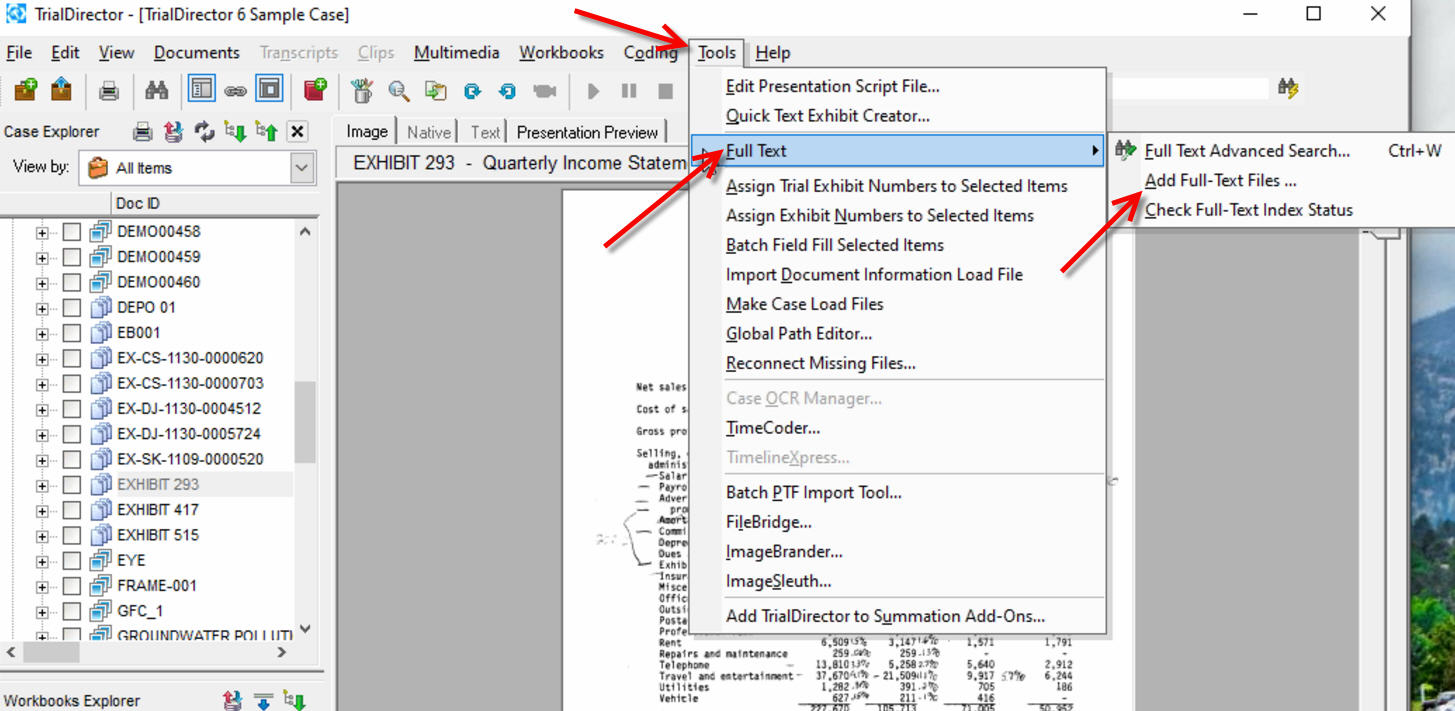
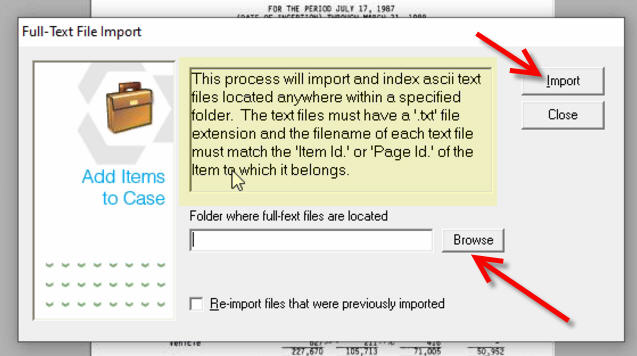
Under Tools, there is a Full Text option. Follow the prompts and as long as you follow the instructions (make sure the name of the text files with full text to be loaded match exactly the name you see for your Doc or Page IDs), you should gain the ability to search the text of all documents loaded, that contain full text.
Word of caution: loading the full text of documents can take a very long time, the larger the amount of documents and/or pages loaded, the longer it might take. Don't do this task last minute!
Instructional screenshots